
Plan days, stops and notes
Save a multi-day trip with ordered stops and notes. Send to phone queues an account notification for review on a supported app version.
Built around your vehicle and your next adventure
Plan journeys around your vehicle’s dimensions. On iPhone and iPad, explore 54,000+ European campsites in seven languages, with CarPlay, touring plans and practical arrival tools. Also available for Android.
New on the web
Use your app account to plan trips, compare routes and check the journey before you leave.
Save a multi-day trip with ordered stops and notes. Send to phone queues an account notification for review on a supported app version.
Compare available routes, extra journey time and main-road differences. Vehicle restrictions remain part of route planning.
Estimate fuel from your own consumption and price inputs. See toll prices where available, plus official zone previews for London ULEZ/LEZ and 16 French areas.
Browse available petrol and diesel grades in the UK, France, Spain and Italy. Official feeds refresh automatically each day, with more frequent checks where available.
Fuel coverage is partial; each result shows its source and last check. Zone previews are advisory and do not confirm vehicle eligibility.
The web planner and iPhone 1.10.0 trip sharing are live. Check Google Play and your installed app for Android trip-sharing availability.
Your parked-up companion on iPhone & iPad
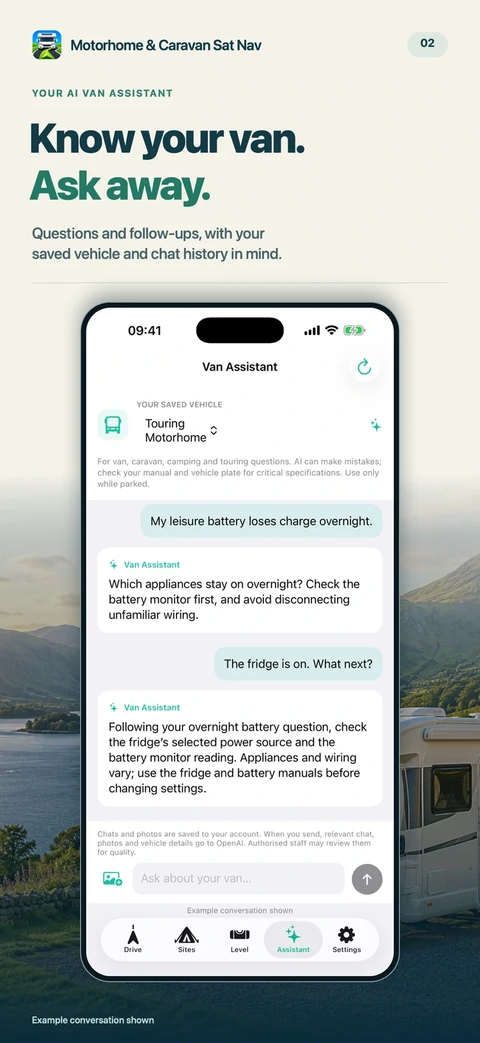
Have a question about your van? Ask with your saved vehicle in mind, add a photo of a part and pick up the conversation next time you stop.
Sending questions needs a subscription and internet access. Use while parked; check manufacturer information for exact specifications and safety advice. AI answers can be inaccurate. How your questions and photos are used.
Choose your touring setup
Check vehicle dimensions, account for fitted equipment and plan the approach to your next stop.
Prepare a car-and-caravan profile and review the route for your complete towing outfit.
Compare offline maps, low-signal navigation, vehicle settings, dashboard displays and costs.
See it in action
Watch how Motorhome & Caravan Sat Nav helps you set up your vehicle, find a campsite, review the route and follow clear guidance.
Try it on your next trip Eligible UK iPhone and iPad accounts: 7 days free, then £3.99/month. Local prices and Android offers are confirmed at checkout.Inside the app
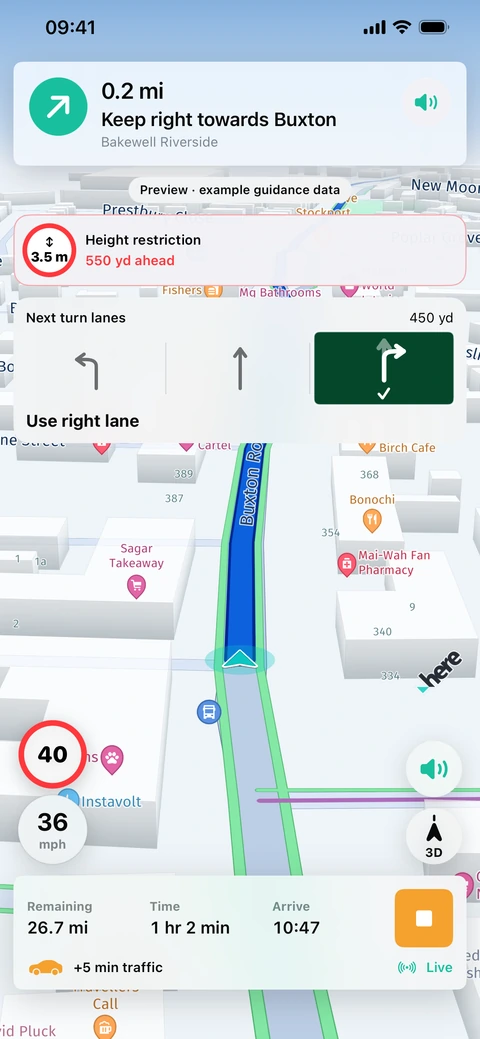
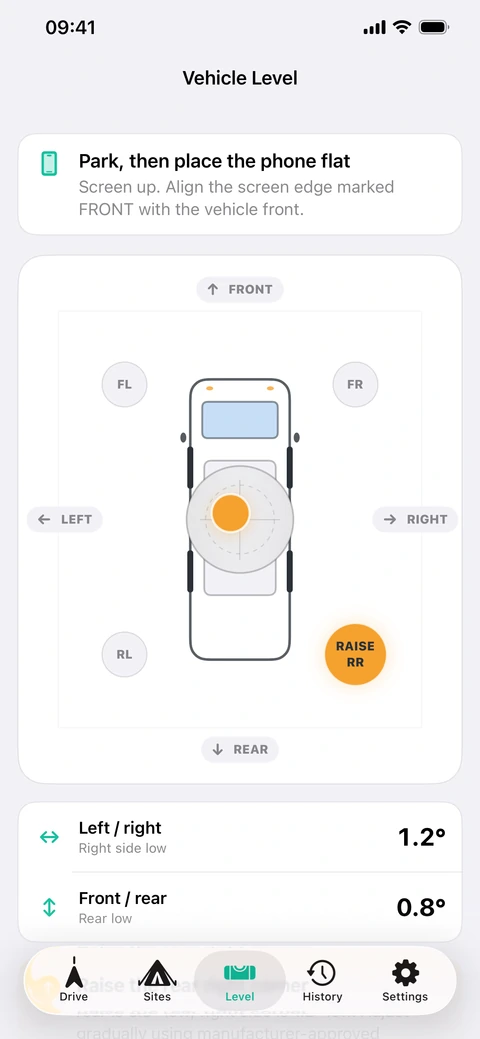
See iPhone examples of campsite discovery, vehicle setup, route previews, guidance and levelling. Features vary by platform and version.
One app. Three ways to tour.
Confidence for every journey
Thoughtful navigation for the things that make touring different.
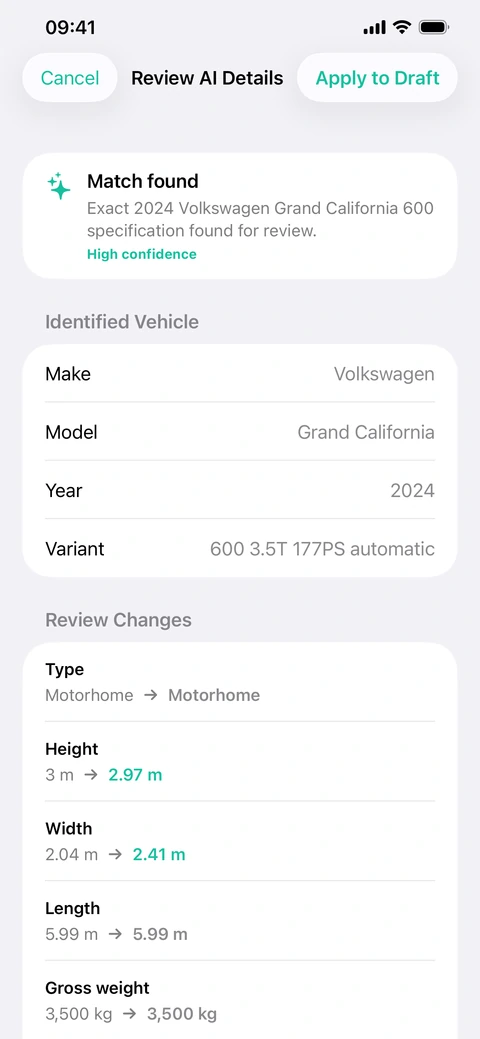
Save your exact dimensions and weight. The app uses your vehicle profile when planning every journey.
Learn how to set up your vehicle dimensions.
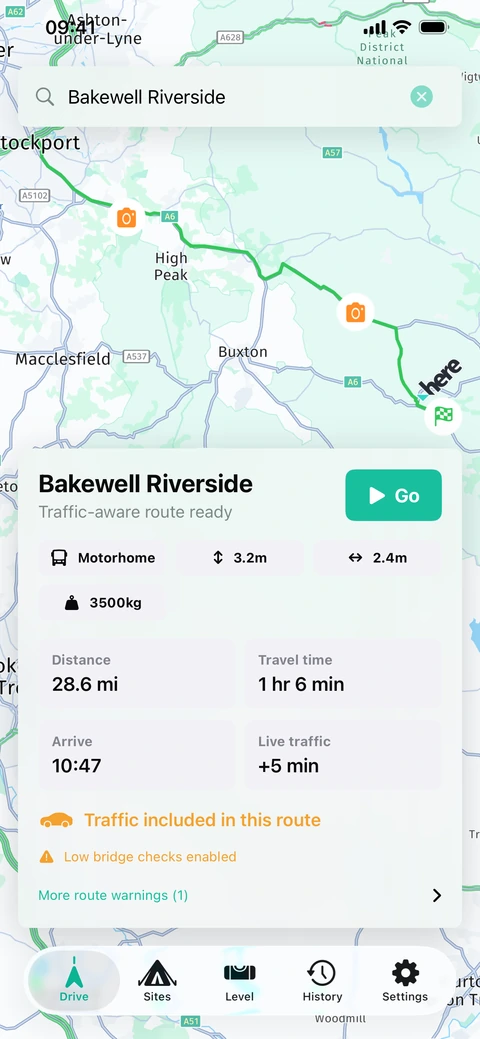
See journey time, expected arrival and live delays before you commit to the road.
Large instructions, speed information and voice prompts keep the essentials clear on the move.
Download supported maps before you travel for offline search, routes and guidance. Offline access requires a subscription verified online within the last 24 hours. Live traffic, forecasts, new cloud speech and Assistant questions need internet access.
Use Apple CarPlay with your iPhone on a compatible vehicle display. For Android dashboard support, check your installed Google Play version and display compatibility. Set up your vehicle and review the route while parked.
Explore Europe · iPhone & iPad
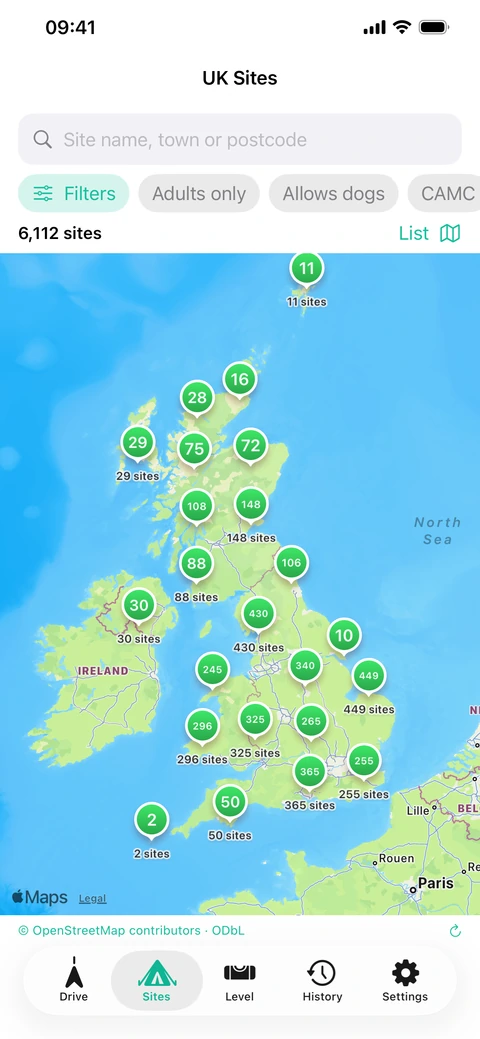
Discover European campsites, search European addresses and review the approach to your next stop.
Search by site, town or postcode. Filter recorded facilities and save sites in folders with notes. Booking links open the provider’s website; they do not confirm availability.
Use English, French, German, Spanish, Italian, Portuguese or Dutch. The iPhone app follows your supported language preference, with navigation speech in the app’s language.
Review source links, dated operator directions and campsite pin warnings. Many records are site centres rather than verified entrances; confirm the recommended approach with the operator.
European directory and language features above are available on iPhone and iPad from 1.9.0. Reviewed arrival guidance is available on selected records. Android has its own release schedule: compare platform features or check Google Play.
Plan, drive, arrive · iPhone & iPad
Keep your plans, journey checks and arrival tools together, from the night before departure to settling onto your pitch.
Save multi-day trips with ordered stops, overnight stays and notes. Check journey readiness, map downloads and route or destination weather and wind forecasts.
Find rest areas and motorway services ahead. In the UK, search recorded LPG, drinking-water and waste points and preview a driving detour. Share an expiring ETA link that you can revoke.
Use phone-sensor levelling while parked, with readings on a paired Apple Watch. Return to saved site notes or ask Van Assistant about your vehicle and touring kit.
Touring plans and journey checks are included from iOS 1.8.0. Forecasts, live traffic and new Assistant questions need internet access. Sensor readings are estimates; follow the vehicle manufacturer’s levelling instructions. Check features for your phone.
From drive to arrival
On iPhone and iPad, browse 54,000+ European campsites or enter another destination, review your vehicle details and route, then check the final approach before arrival.
Explore European campsites on iPhone and iPad, or search places and addresses. Read our guide to finding dog-friendly campsites.
Check distance, journey time, traffic and vehicle details.
Follow uncluttered instructions with voice guidance.
Touring should feel like freedom.
The route there should too.
Developed by ClientMaster Ltd, Motorhome & Caravan Sat Nav is built with one clear purpose: to help touring drivers plan more suitable journeys and arrive feeling ready for the stay ahead.
Before you set off
On iPhone and iPad from version 1.7.0, ask about your saved vehicle, attach a photo and continue earlier conversations. Sending questions requires a subscription and internet access. Assistant answers are guidance; verify exact specifications and safety advice with the manufacturer. This is separate from the AI lookup used to suggest vehicle dimensions. Read the Van Assistant guide.
Download supported maps before departure for offline search, routes and guidance within their coverage. Offline access requires a subscription verified online within the last 24 hours. Live traffic, forecasts, new cloud voice prompts and sending Van Assistant questions need internet. Cached prompts can play offline; visual guidance continues if speech is unavailable. GPS reception and location permission are still needed for your position. See offline map preparation.
iPhone and iPad version 1.10.0 includes 54,000+ European campsite records. Navigation, downloadable maps, traffic, restrictions and facility information vary by country and available data. Reported fixed-camera alerts and recorded LPG, water and waste-point searches remain UK features. Check your downloaded maps and installed app before travelling. Android features follow a separate release schedule; see the platform comparison.
Apple CarPlay is available with a compatible iPhone and vehicle display. Android Auto availability depends on your installed Google Play release and compatible display. Set up your vehicle profile and choose your route while parked. Our CarPlay and Android Auto guide covers both dashboard options.
On current iPhone and iPad versions, check source links, dated operator directions and any warnings about the campsite pin or route arrival point. Reviewed guidance is available on selected records; a site-centre pin does not confirm a suitable entrance. Confirm the approach with the operator and follow current road signs and restrictions. No route or readiness check guarantees access.
Manage renewal through the store where you subscribed: Apple subscription settings or Google Play subscriptions. Follow the cancellation timing shown by your store and check the confirmation. Deleting the app or your app account does not cancel store billing. See our subscription terms.
Need anything else? Visit support and common questions.
Touring guides
App updates
See where each app is today, explore the latest changes and open your store to update.
Available now · Version 1.10.0
Released
Open website trips on your iPhone, compare routes and fuel prices, and keep your camera settings across iPhone and CarPlay.
Available now · Version 1.3.5
Store updated
Choose a destination with a movable map pin, find your location and search sites more easily, with smoother navigation on your phone and Android Auto.
Already installed? Open your store listing and choose Update when it is available. Each platform has its own release schedule. Compare features or find a feature in our guides.
Store listings checked . Availability can vary by country and device.
Available on iPhone, iPad & Android
Eligible UK iPhone and iPad accounts: 7 days free, then £3.99/month. Other countries see local store pricing and trial eligibility. Download for Android on Google Play. Android subscription offers are shown in the app and at checkout.
See the latest updates for each app